Transaction History helps you manage your orders, invoices, and even see who and when staff are enrolled.
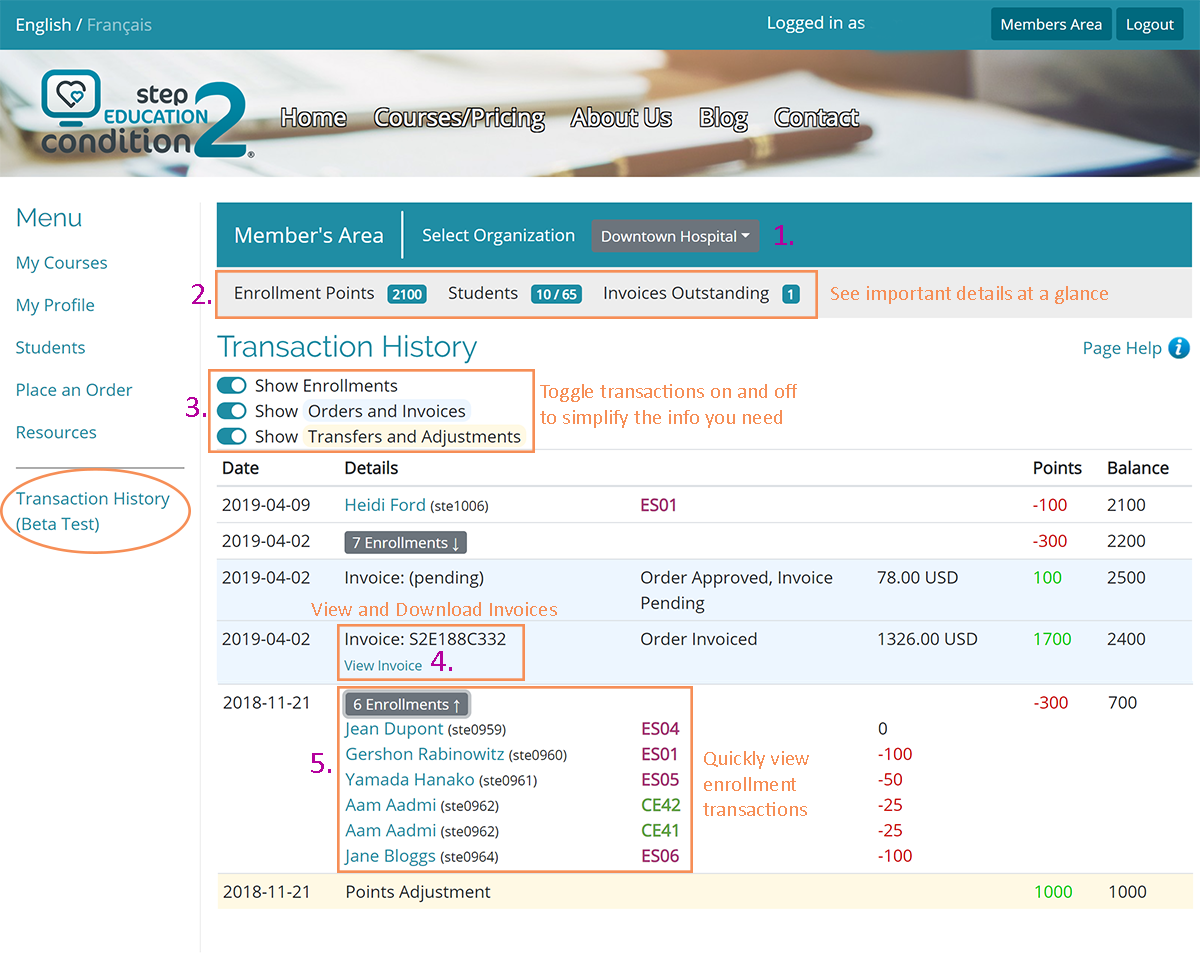
- If you manage multiple departments or sites, use the drop-down menu to select the Organization.
- The summary information will display information about the selected area.
- You can turn off certain transactions using the toggle buttons - to help simplify the data you want to see.
- Once your invoice is issued, click "View Invoice" to view and download.
- Points Adjustments occur when moving staff from one department to another (or archiving them).
Click on "Page Help" for more information about the features or contact us if you need any help!
Was this article helpful?
That’s Great!
Thank you for your feedback
Sorry! We couldn't be helpful
Thank you for your feedback
Feedback sent
We appreciate your effort and will try to fix the article