Facilitators can see a quick overview of how many Enrollment Points are available under the Transaction History portal.
Click on the drop-down menu to see the list of departments/locations and their available points. If you don't have multiple departments, you can instead see your available Enrollment Points on the top-left.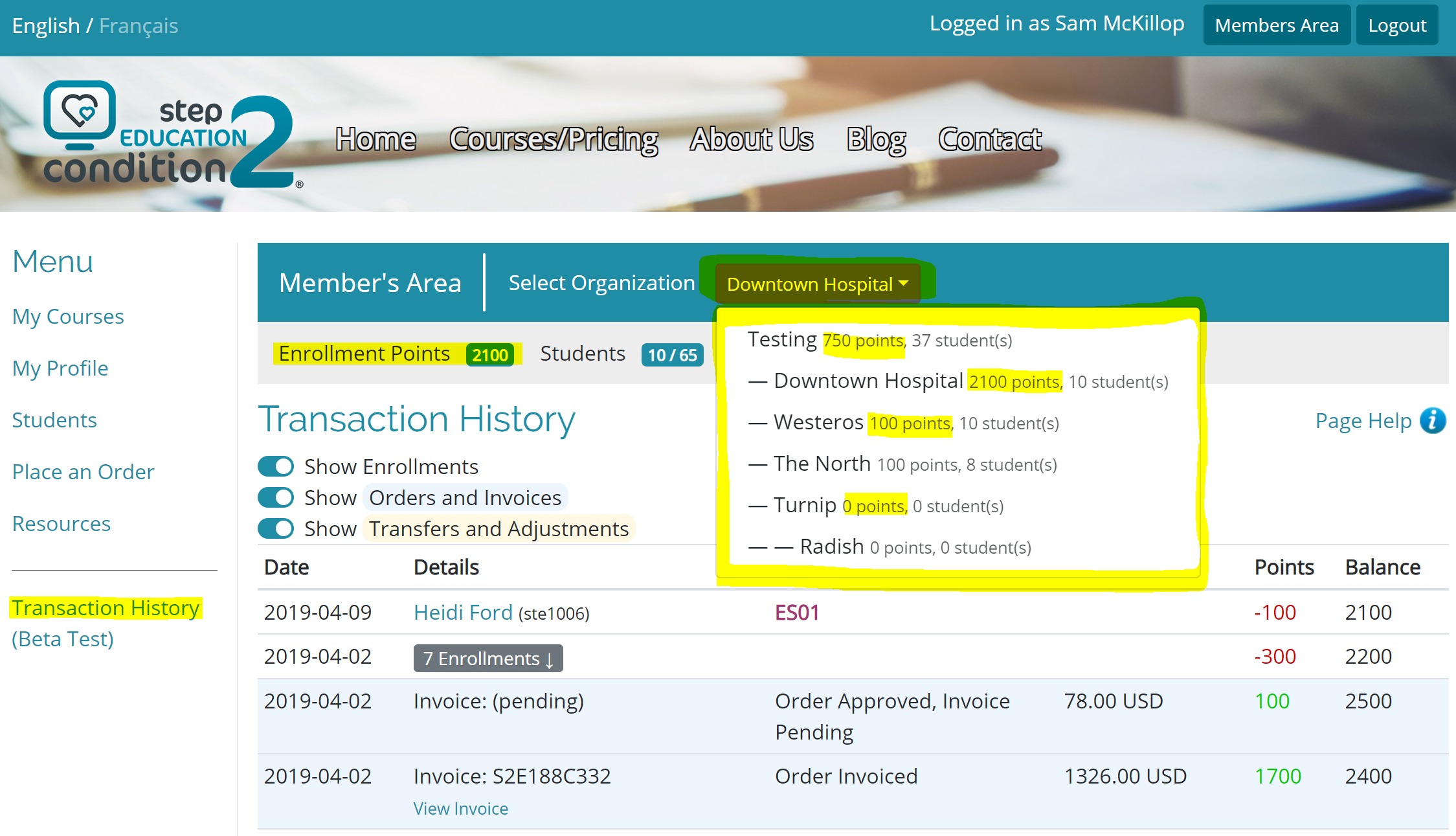 Note: 100 enrollment points is enough to enroll one student into ES01 (Primary Care Nurses) or ES06 (Doctors/Providers).
Was this article helpful?
That’s Great!
Thank you for your feedback
Sorry! We couldn't be helpful
Thank you for your feedback
Feedback sent
We appreciate your effort and will try to fix the article