You can purchase your own course by following these steps.
Before you start, ensure your facilitator has registered you, and you have a Username and Password.
You can not register yourself.
You can also contact us and provide your facilitator's name, email, and location, as well as your name and email, to be registered.
Log in and Choose a Course
- Log in to our website.
- If you don’t already have a username and password, contact your facilitator/hospital, who can assign one for you online.
- If you have lost your details, recover them online.
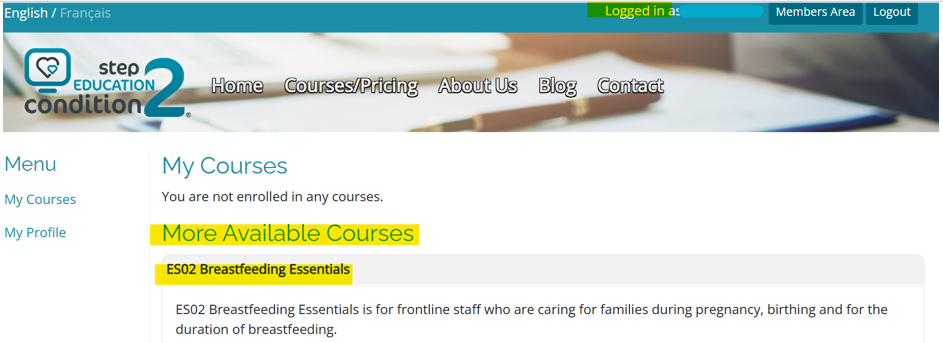
- Go to My Courses in the menu on the left.
- You can see two sections:
- My Courses (courses you are already enrolled in) and
- More Available Courses (courses you can purchase).
Review and Check out
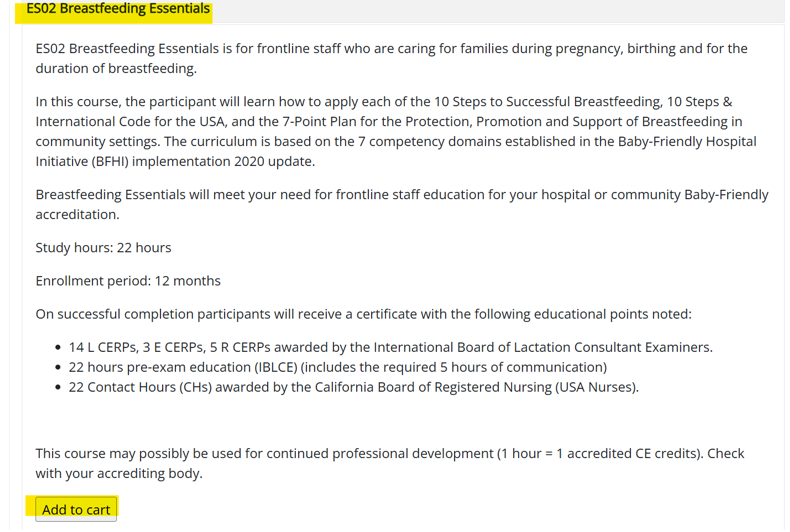
- Click on the “Add to Cart” button next to any courses you wish to purchase, and you will be directed to a summary of your cart.
Payment
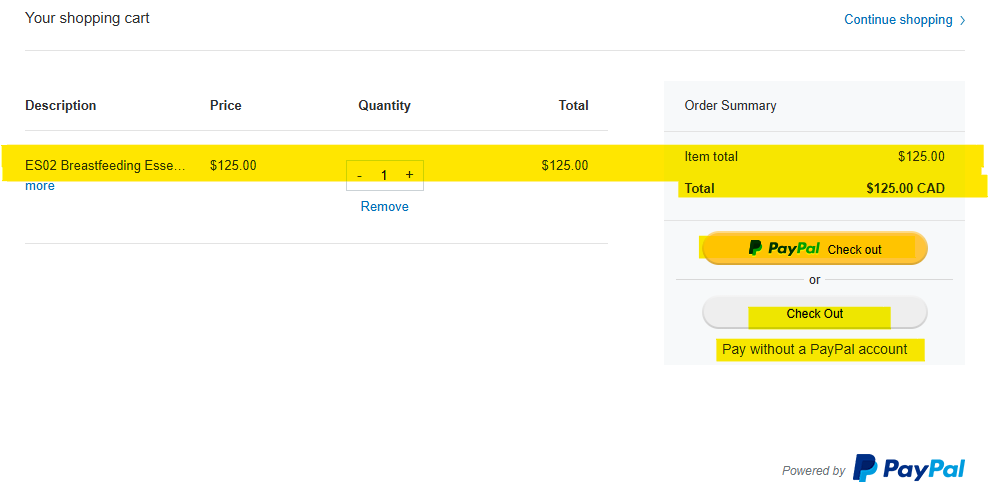
- You can choose to pay via "PayPal Checkout" (if you have a PayPal Account), or choose "Checkout Pay without a PayPal account" where you can enter your credit card details through the guest checkout option.
- Once your payment is processed, you will be enrolled in your course and receive confirmation via email within 24 hours. You will see your new course listed under My Courses and can begin. If you do not see the course available within 24 hours, please contact admin@step2education.com.
- PayPal sends you a tax receipt via email for your records. You will need this if you are requesting reimbursement from your organisation.
Do you need to re-enroll?
If you want to pay individually to re-enroll in a course you have previously taken, we'll need to assist with that process, so please contact us.
Was this article helpful?
That’s Great!
Thank you for your feedback
Sorry! We couldn't be helpful
Thank you for your feedback
Feedback sent
We appreciate your effort and will try to fix the article